


Ever seen a video of someone turning their old photos into a video on your socials? This has become a popular trend, but many people still don’t know the exact AI tool used to create such videos. Well, we have gone ahead and scrubbed the internet looking for the best AI image-to-video generators that can help bring your photos to life with minimal effort.
Best AI Image to Video Generators Compared
There are plenty of AI platforms and tools that claim to create AI videos from images, but their outcome is lackluster. That is why we have prepared a list of the best AI image-to-video generators, which I have tested and ranked below, based on their use case, limitations, and pricing.
| Image to Video Generator | Best Suited for | Limitations | Pricing |
|---|---|---|---|
| Google Gemini Veo 3.1 | Anyone looking to create close to real videos with images | Can create only 3 videos per day | Free, AI Pro plan available at $20/month |
| Open AI Sora 2 | Generating life-like videos with dialogues to be shared on social media | Sora 2 app is limited to invite-only access | Free, ChatGPT Plus costs $20/month |
| Grok AI Imagine | Quick image to video generation | Tends to misinterpret image prompts at times | Free, SuperGrok plan starts at $30/month |
| Kling AI | Creating engaging and stylized short clips | Occasionally misinterprets complex prompts | Free, Standard plan starts at $6.99/month |
| Runway ML | Creatives who want tto create multiple consistent AI generated scenes | People who want to make quick AI videos | Free, Standard plan available for $15/month |
| Meta AI Vibes | Casual people who want to have fun with AI video generation | Inconsistencies in the video itself | Free to Use |
| Wondershare Filmora | Creatives and video editors looking for a tool with built in image to video generator | Image-to-video capabilities are not as advanced as dedicated generative video models | 7-day free trial, Basic plan starts at $9.99/month |
Overview of the Best AI Image-to-Video Generators
Here is a complete overview of the best AI image-to-video generators, including both free and paid options that are available on the internet. Take a look for yourself.
1. Google Gemini Veo 3.1
Google Gemini isn’t just a conversational AI model; it can do a lot more. Including creating compelling videos with its latest Veo 3.1 model, which also allows you to attach images to further set the tone and scene of the video. This eliminates the need to provide a thorough and detailed text prompt and still gets good results from the AI model.
During my testing, what stood out was how natural the motion looks and how well the AI respects the original image. Instead of random animations, Gemini understands what’s in the photo and creates contextually relevant footage. It stands as the best AI image-to-video generator, and the free version lets you create 3 videos per day, which is why it is the best free AI image-to-video generator option out there.
| Pros | Cons |
|---|---|
| Generates compelling videos from images | You will need to provide text prompts for the best results |
| Remembers the context of the image | Some videos may look a bit off |
| Easy to use and available on all platforms | |
| Can create 3 videos per day in free version |
Pricing: Free, AI Pro plan available at $20/month
2. Open AI Sora
OpenAI launched its AI video generator Sora 2 as a standalone TikTok-style app, where people can generate videos for free. It even lets you use likenesses of other accounts on the app, called Cameos, in your AI-generated videos. The app also has an AI image-to-video generator, turning images into full-fledged clips that look pretty convincing, with proper sound and dialogue if required.
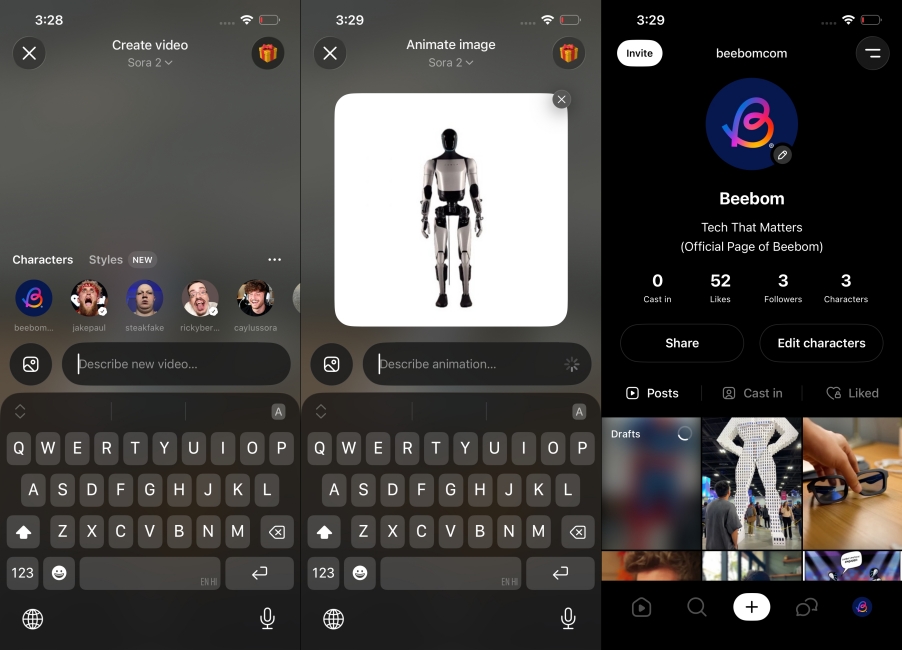
It became a big hit when it came out, with people generating all sorts of things. The app is pretty easy to use; you just have to create an account with a Sora 2 invite code and start generating videos. In my testing, I tried a bunch of images, and not only did it successfully manage to understand the context, but expanded upon it in the video while keeping the original detailed quality of the photo.
| Pros | Cons |
|---|---|
| Generates believable and coherent motion | Some prompts or low-detail images can produce weaker results |
| Can add sounds and dialogues in the videos | |
| Great at picking up context from the images | |
| Ideal for quick concepts, casual short form clips |
Pricing: Free, ChatGPT Plus costs $20/month
3. Grok AI Imagine
Elon Musk’s controversial Grok AI app can also create quick snippets out of any uploaded image for free. Its Imagine feature can create some amazing AI artwork and turn them into a quick video, too, within seconds. It’s so fast that I won’t shy away from calling it one of the fastest AI video generators. The best part is that there is no limit on video generation in the free version of Grok.
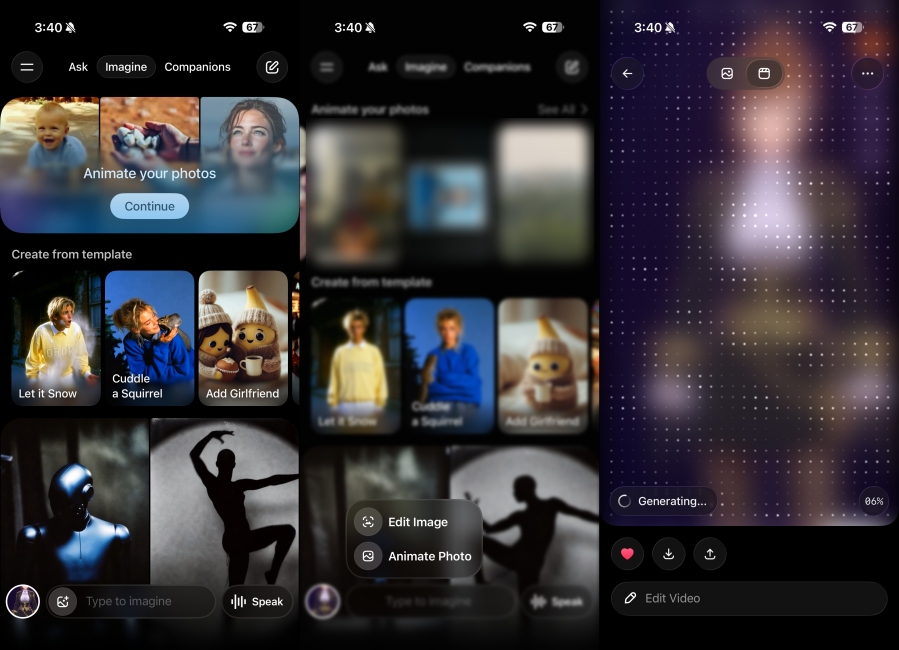
So if you were looking for the best free AI image-to-video generator, then here’s your pick. However, the results vary from image to image. But they generally don’t look as compelling as results from Sora or Gemini. It also lacks any guidelines, so it can make inappropriate videos without hesitation.
| Pros | Cons |
|---|---|
| Creates videos that feels tied to the image | Videos have an AI polish to them |
| Pretty quick at generating videos | Sometimes, misinterprets image prompts |
| Good option for coming up with short clips | |
| Lets you create multiple videos for free |
Pricing: Free, SuperGrok plan starts at $30/month
4. Kling AI
Kling AI is a new AI image-to-video generator in the space, but its results are pretty good, and it features a host of additional advantages that give you more control over your creations. Unlike other apps in this list, you can add multiple images to improve the results, and suggest the subject and face references in the output. It also has options to generate multiple outputs at once.
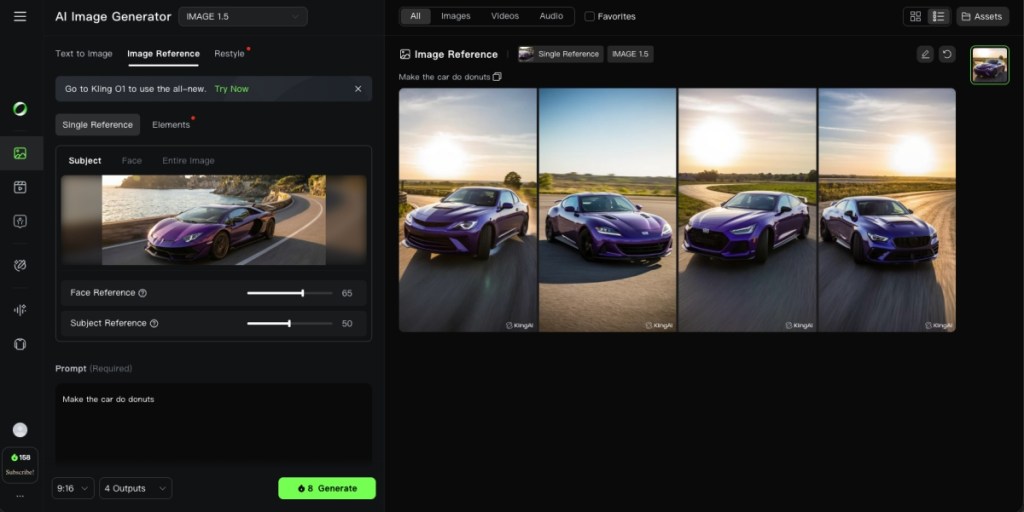
In my testing, it was quick to generate the clips. However, the results did appear inconsistent between frames. Adding more details to the prompt did fix this issue to some extent, but the video generation model does need improvement. It offers limited credits to create videos out of images in the free version, with further credits available after getting the Pro plan.
| Pros | Cons |
|---|---|
| Simple and easy to use interface | Tends to over exaggerate outputs at times |
| Extensive control over video generation | |
| Helpful for making short clips from images | |
| Can add multiple image inputs |
Pricing: Free, Standard plan starts at $6.99/month
5. Runway ML
Runway ML is one of the most capable and flexible AI image-to-video generators. It is built as a creative platform, which features the option to turn images and their content into AI videos using advanced generative models. What stood out to me about Runway during testing is its strong control over motion, scene, resolution, and the ability to keep consistency between multiple videos.
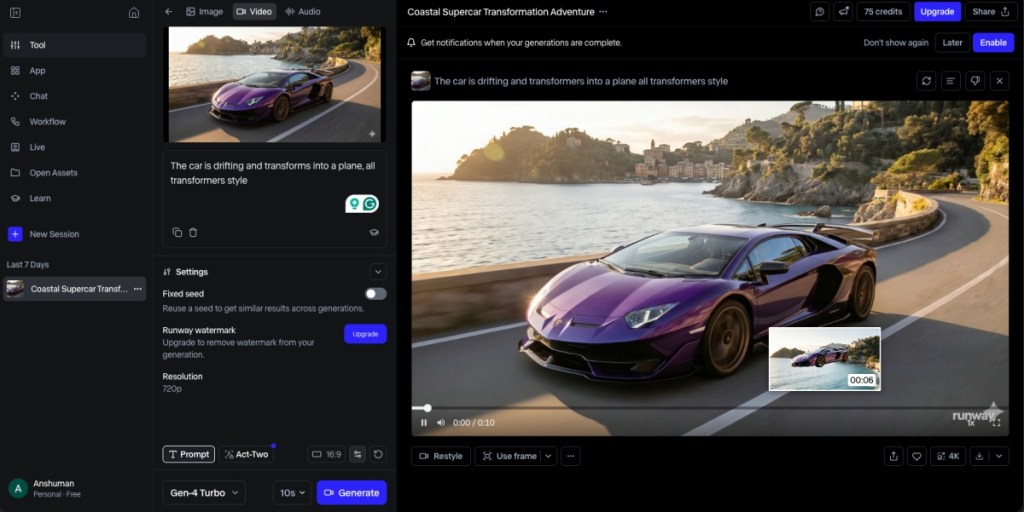
You can provide an image, and further develop the scene with a text prompt, even adding camera movements, object motion, changes in lighting, and Runway brings it all to life as if it were a set direction. I was blown away by the results, but it took a while to come up with an output. I guess it is because of this quality that many creatives use Runway’s image-to-video generators to create quick visuals to test their concepts.
| Pros | Cons |
|---|---|
| High creative control via prompts | Quality of image to video depends upon the prompts |
| Supports multiple models | Simpler prompts often produce low quality results |
| Can handle complex scene direction | |
| Option to keep consistency between multiple AI videos |
Pricing: Free, Standard plan available for $15/month
6. Meta AI Vibes
The Meta AI app is like a lighter version of Sora 2. It is a full-fledged app with its own dedicated social media feed where you can share your AI-generated images and videos. But the highlight has to be its AI image-to-video generator. It can create quick clips or Vibes, as it calls them in the app, within seconds from any image. It doesn’t need a complicated prompt to accompany it.
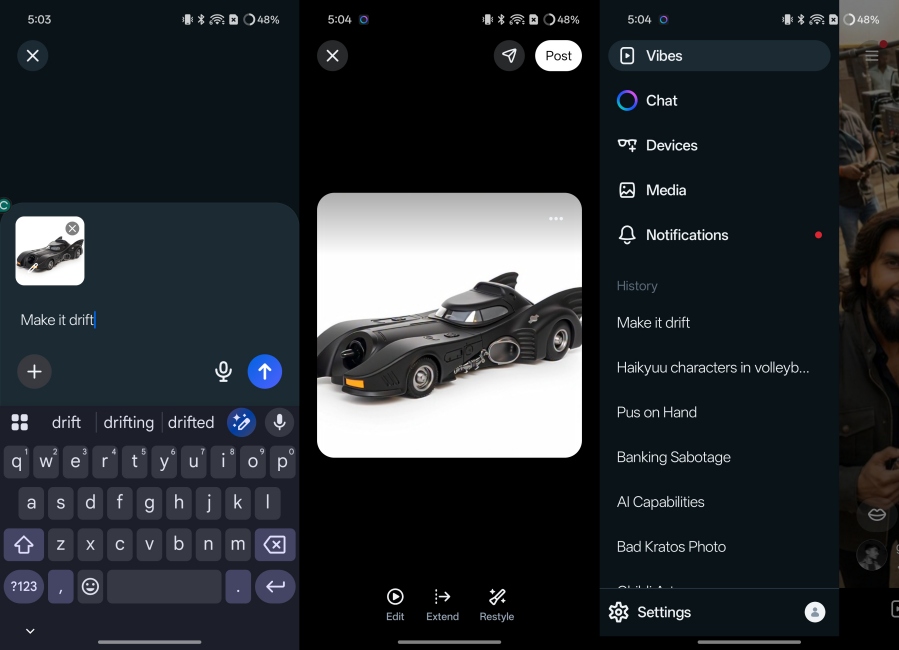
Once you get the video, you can choose to extend the clip, add music to it, or lip-sync. When you are satisfied with the output, you can share it in Meta’s own social feed. In my testing, I found the output to be quite inconsistent and janky. But I guess it is built for casual users who just want to have some fun with AI, so if that’s what you are going for, then you should try Meta AI.
| Pros | Cons |
|---|---|
| Creates quick clips with image prompts | No consistency in AI videos |
| Output looks decent | They have a glossy polished shine to it which makes them look unrealistic |
| Options to extend clip and add music | |
| Can share AI generated video to Meta’s social feed |
Pricing: Free to Use
7. Wondershare Filmora V15
Wondershare Filmora is not just an AI tool, but a full-fledged video editing software that can help you create cinematic and professional-looking footage. Its latest version includes an AI image-to-video generator that you can use to create B-roll or filler clips for your content.
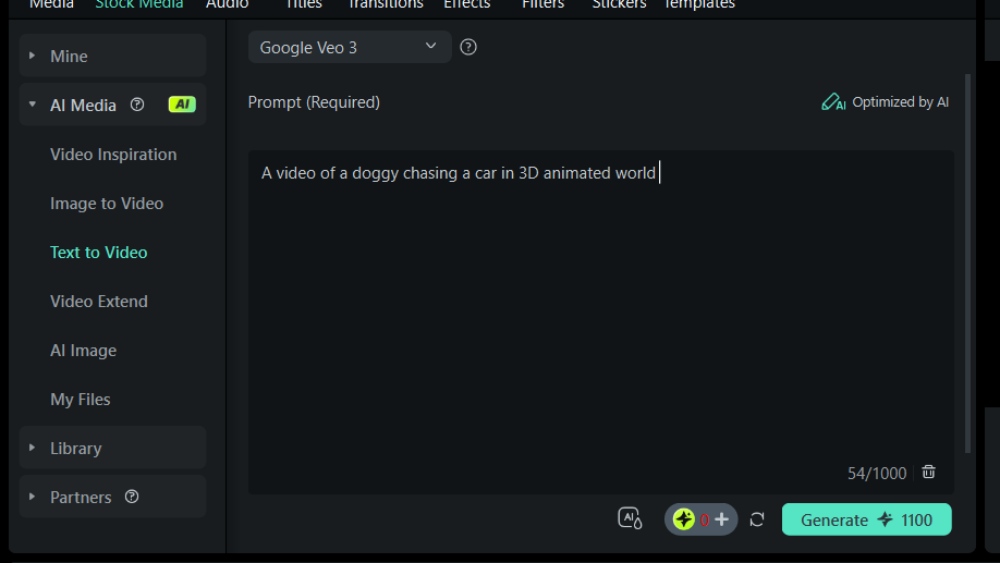
It is pretty decent in its execution, but the output is not as realistic or consistent in physics as compared to Gemini, Runway, or Kling. Still, it is a viable option for anyone looking for an AI video editor with video generation capabilities built into it.
| Pros | Cons |
|---|---|
| User friendly interface | Less control over specific motion |
| Features a complete suite of video editing tools | Quality can vary widely depending on the image |
| Templates and quick tweaks make it easy to polish outputs | |
| Works well with multiple input images |
Pricing: 7-day free trial, Basic plan starts at $9.99/month
These are the best AI image-to-video generators that I could manage to find out there. With further advancements in AI, we will likely see better apps and tools feature this capability and the option to create longer videos with AI. But till then, I hope you enjoyed this list, and if I missed out on a certain tool, then let me know in the comments down below.