


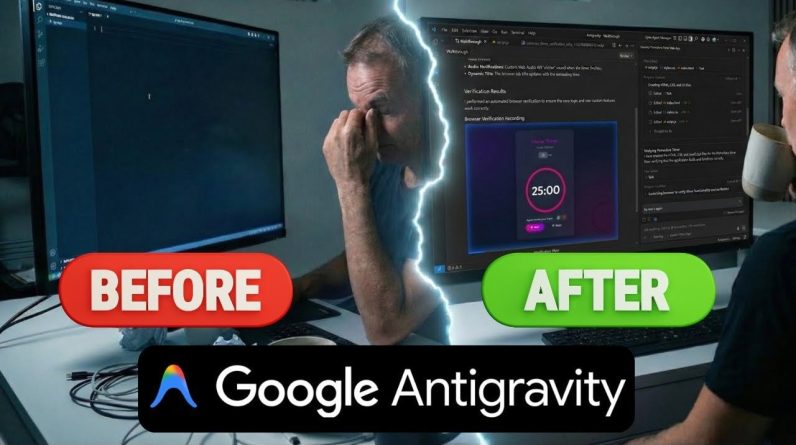
What if building your first app didn’t require years of coding experience or hours of frustration? Imagine having an AI-powered assistant that not only writes your code but also helps you test, debug, and customize your project, all while you stay in control. In this breakdown, Teacher’s Tech walks through how Google Antigravity is transforming app development by making it accessible to beginners and empowering creators to focus on their ideas rather than the technical hurdles. Whether you’re a complete novice or someone looking to streamline your workflow, this step-by-step guide to building a Pomodoro timer app will show you just how intuitive and collaborative the process can be with this innovative platform.
Through this guide, you’ll uncover how Google Antigravity’s AI-driven features transform complex tasks like coding and project management into seamless, automated processes. You’ll learn how to set up the platform, collaborate with the AI to design your app, and even explore customization options to make your project uniquely yours. But it’s not all automation, this platform thrives on a balance between AI assistance and your creative input, making sure the final product reflects your vision. By the end, you’ll not only have a functional app but also a deeper understanding of how to use this innovative platform for future projects. It’s a glimpse into the future of app development, where creativity takes center stage.
What is Google Antigravity?
TL;DR Key Takeaways :
- Google Antigravity is an AI-powered development platform designed to simplify app creation, making it accessible to both beginners and experienced developers.
- The platform automates coding, testing, and project management tasks, allowing users to focus on creativity and customization while maintaining control through features like “Auto Execution” and “Review Policy.”
- Beginners can easily create apps, such as a Pomodoro timer, by guiding the AI through prompts, reviewing plans, and customizing features, fostering a collaborative development process.
- Google Antigravity includes automated testing and debugging tools, but user involvement is essential to ensure quality, address issues, and refine the final product.
- Completed apps can be exported and hosted on platforms like Netlify or GitHub Pages, allowing live testing, sharing, and feedback collection to enhance the development experience.
Google Antigravity is an advanced AI-driven development tool designed to streamline the app creation process. It automates essential tasks like writing code, testing functionality, and managing projects, making it accessible even to individuals with minimal programming experience. The platform is compatible with multiple operating systems, including Windows, macOS, and Linux, making sure flexibility for users across various devices.
By using AI-powered features, Google Antigravity allows you to focus on creativity and customization while the AI takes care of the technical execution. This balance between automation and user input makes it a versatile and efficient tool for app development, allowing users to bring their ideas to life with minimal friction.
Getting Started: Setting Up Google Antigravity
To begin your journey with Google Antigravity, download and install the platform on your preferred operating system. The installation process includes configuring basic settings, such as selecting a theme and linking your Google account. For beginners, allowing features like “Auto Execution” with a review setting is highly recommended. This ensures that the AI seeks your approval before executing commands, giving you control over the development process.
Another useful feature is the “Review Policy”, which allows you to oversee and approve code changes. This ensures that the AI-generated outputs align with your goals and expectations, fostering a collaborative development experience. These initial setup steps are crucial for creating a seamless workflow and maximizing the platform’s potential.
Google Antigravity Tutorial for Beginners: Build Your First App
Gain further expertise in Google Antigravity by checking out these recommendations.
Key Features for Beginners
Google Antigravity is specifically designed to make app development more accessible, particularly for those new to coding. Its standout features include:
- Automated Coding: The AI generates code based on your input, significantly reducing the need for manual programming.
- AI Code Review: The platform suggests code improvements and modifications, which you can approve or adjust to ensure quality and functionality.
- Project Management Automation: Tasks are automatically organized, progress is tracked, and actionable suggestions are provided to streamline your workflow.
These features allow beginners to focus on the creative aspects of app development while the AI handles the technical details, making the process both efficient and user-friendly.
Step-by-Step: Building a Pomodoro Timer App
Creating your first app with Google Antigravity is a straightforward and engaging process. Follow these steps to build a web-based Pomodoro timer:
1. Prompt the AI: Begin by instructing the AI to create a Pomodoro timer using HTML, CSS, and JavaScript. Provide specific details about the app’s functionality to guide the AI.
2. Review the Plan: The AI will generate an implementation plan, outlining the app’s structure, features, and functionality. Carefully review this plan and make any necessary adjustments to ensure it aligns with your vision.
3. Generate Code: Once you approve the plan, the AI will produce the required code for the app.
4. Customize Features: Personalize the app by adding optional features, such as sound effects, adjustable timer durations, or a user-friendly interface.
Throughout this process, you’ll act as a project manager, guiding the AI and making sure the final product meets your expectations. This collaborative approach enables you to create a functional and customized app, even if you’re new to coding.
Testing and Debugging
After generating the app, Google Antigravity automatically tests it in a browser environment. You’ll receive prompts to confirm key steps, making sure transparency and control over the development process. While the AI handles most debugging tasks, you may need to intervene occasionally to address issues such as browser compatibility or minor glitches.
This collaborative testing process ensures that the app functions as intended and meets quality standards. By actively participating in the debugging phase, you can refine the app and resolve any issues that may arise, resulting in a polished final product.
Exporting and Hosting Your App
Once your app is complete, Google Antigravity saves the generated files on your local system. To share or test the app in a live environment, consider using hosting platforms such as Netlify or GitHub Pages. These platforms allow you to upload your app and make it accessible online, providing an opportunity for further testing or showcasing your work.
Hosting your app not only enables you to share it with others but also allows you to gather feedback and identify areas for improvement. This step is particularly valuable for beginners, as it provides practical insights into the deployment process and helps you gain experience in managing live applications.
Practical Insights and Limitations
Google Antigravity significantly lowers the barriers to app development, allowing users to create functional applications with minimal coding knowledge. However, active involvement remains essential. By reviewing outputs, guiding the AI, and requesting modifications, you can ensure that the app aligns with your vision and meets your specific requirements.
While the platform automates many aspects of development, occasional errors and the need for user oversight highlight the importance of collaboration between you and the AI. This partnership ensures that the final product is not only functional but also tailored to your unique needs and preferences.
Google Antigravity’s ability to balance automation with user input makes it a powerful tool for app development. However, understanding its limitations and actively participating in the development process are key to achieving the best results.
Media Credit: Teacher’s Tech
Filed Under: AI, Guides
Latest Geeky Gadgets Deals
If you buy something through one of these links, Geeky Gadgets may earn an affiliate commission. Learn about our Disclosure Policy.
Originally Appeared Here