


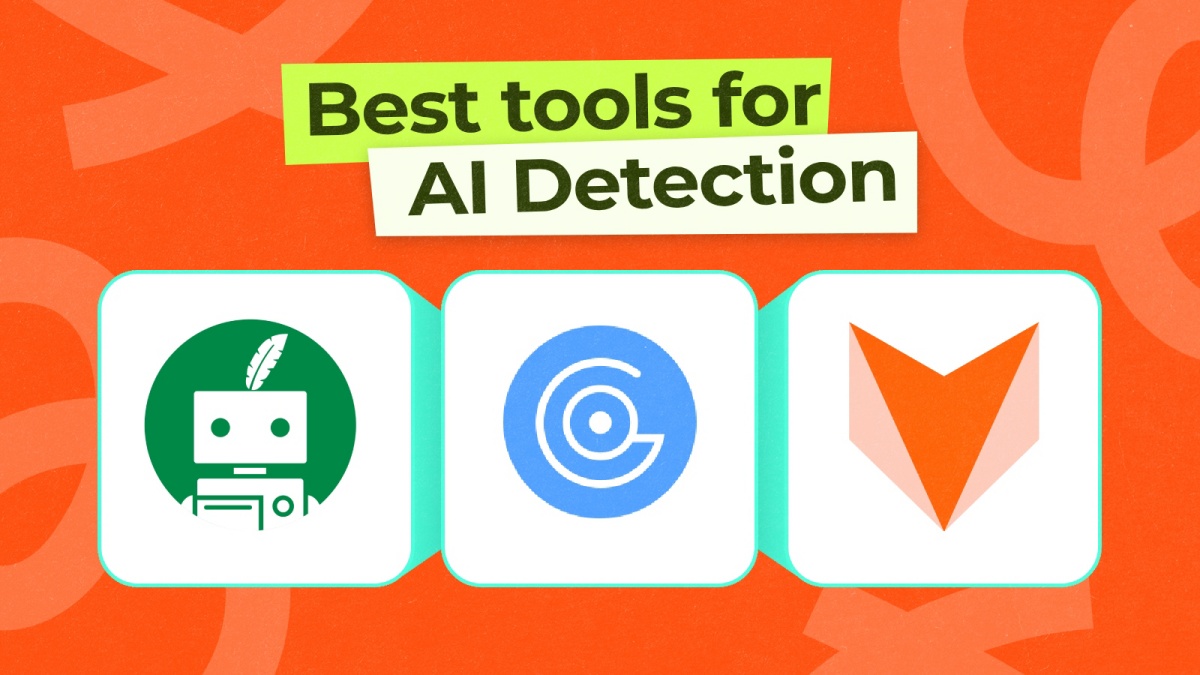
With AI getting more sophisticated every day, it has become quite difficult to distinguish between AI and human-written content. This is problematic for me as a blogger, which is why I set out to find the best AI detectors that can reliably tell the difference between human-written content and AI slop, and after scouring the web, these are the best options I have tried and tested.
Overview of the Best AI Detectors
| Best AI Detector | Best Suited for | Limitations | Pricing |
|---|---|---|---|
| GPTZero | Educators, editors and anyone who need a quick way to flag AI content | Can misinterpret polished writing | Free, Premium plan available at $29.99/month |
| Winston AI | Those who need a clear AI detector to identify text sentence by sentence | Tends to misclassify hybrid text as human-written | Free, Paid plan starts at $18/month |
| Originality.AI | Identify AI generated text as well as plagiarism | Limited use in free version | Free, Pro plan starts at $14.95/month |
| Panagram Labs | Creatives, editors, teachers who need clear understanding whether AI text was used | Does not guarantee complete accuracy | Free, Paid plan available at $20/month |
| ZeroGPT | Multiple language AI text detection with high accuracy | Limited accuracy in AI detection for short content | Free, Pro plan available at $9.99/month |
| Quillbot AI Detector | Multipurpose tool for AI detection, paraphrasing, humanizing and more | Less accurate than some other AI detectors | Free, Paid plan available at $50.04/annually |
| Copyleaks AI Detector | Detect AI content and plagiarism for long-form and nuanced text | Advanced features require paid subscription | Free, Personal plan available at $16.99/month |
| Content At Scale | Effective at spottling AI content in long form content | Does not provide sentence by sentence breakdown | Free to Use |
Best AI Detectors You Can Try Out
To test out these tools, I used two similar copies of text, one written entirely by me and another generated by AI, but I tweaked it to seem legitimate. Then, I submitted both copies to verify whether the AI detector was able to spot which one is which after multiple attempts. After rigorous testing, here are the best AI detectors I have found.
1. GPTZero – Best for Long Form Content
GPTZero is the best one on the list, as it is the most widely used AI detector out there. It analyzes text for a variety of patterns like perplexity, sentence structure, and burstiness to understand whether the content is AI-generated or not. In my tests, it accurately detected AI content every time and was even able to correctly distinguish human-written text.
Even with added nuances, it was correct all the time. I also like its interface, which is beginner-friendly, so academics, teachers, and students can also try it out. While not perfect (no AI detector is), it consistently ranks among the most reliable options for long-form content.
| Pros | Cons |
|---|---|
| Shows confidence level | Occasionally misinterprets polished writing |
| Good for long-form content like articles and essays | Advance sentence scanning locked behind paywall |
| Break down how much of the content is AI, mixed or human | |
| No limit to scanning in the free version |
Pricing: Free, Premium plan available at $29.99/month
2. Winston AI
Winston AI is another favorite of mine because it breaks down what part of the sentence gives away that it is AI-generated. It offers a detailed breakdown of the entire content and rates it from 100% human-written to 0%, which means it is created with AI. It can detect text generated by AI writing tools like GPT-4, Gemini, Claude, and other large models.
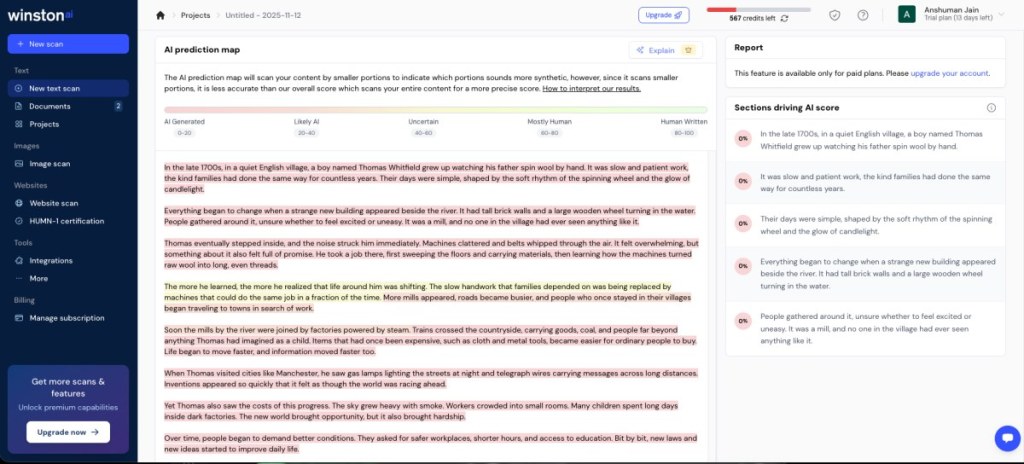
Winston is also largely free, with only a few features requiring a paid membership, which is fine in my opinion. The accuracy itself is pretty good overall, as it was confidently able to detect what part of the text was AI-written and what was altered by me.
| Pros | Cons |
|---|---|
| Complete assessment of AI-detected text | Less accurate for short responses |
| Highlight the sentences that could be AI | |
| Checks for plagiarism and readability | |
| Also supports AI image scanning |
Pricing: Free, Paid plan starts at $18/month
3. Originality.AI
Originality.ai was suggested by a friend who works in SEO, and she told me that this is the tool they use most often to check the legitimacy of any text. It’s competent at detecting content generated by ChatGPT, Claude, and Gemini, which are the most common AI tools. The reason it is so popular among the SEO crowd and publishers is that its advantages don’t just extend to AI detection.
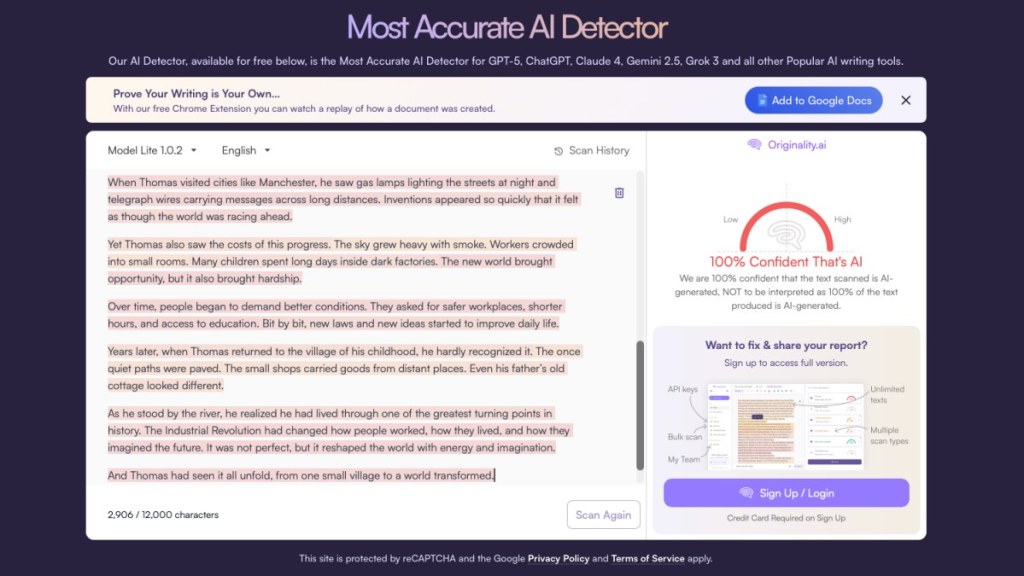
Originality.ai can also help to check readability, plagiarism, and content optimization, and can even carry out batch AI detection. In my test, it could accurately tell apart AI-generated text and the one that I wrote. However, the only problem is that it offers limited scanning to free users. You will have to buy credits to scan more copies.
| Pros | Cons |
|---|---|
| Accurately detects AI-text | Limited uses in the free version |
| Supports batch scanning of text | Need to buy credits to scan more copies |
| Also checks for plagiarism and readability |
Pricing: Free, Pro plan starts at $14.95/month
4. Panagram Labs
Panagram Labs is another strong AI detector that deserves a spot in this list. It evaluates text and helps you further understand the giveaway signs. It doesn’t just highlight AI sentences or phrases, but also shows the likelihood of which phrases have a higher chance of showing up in AI text. The tool also marks AI signatures for suspected words or segments in the content.
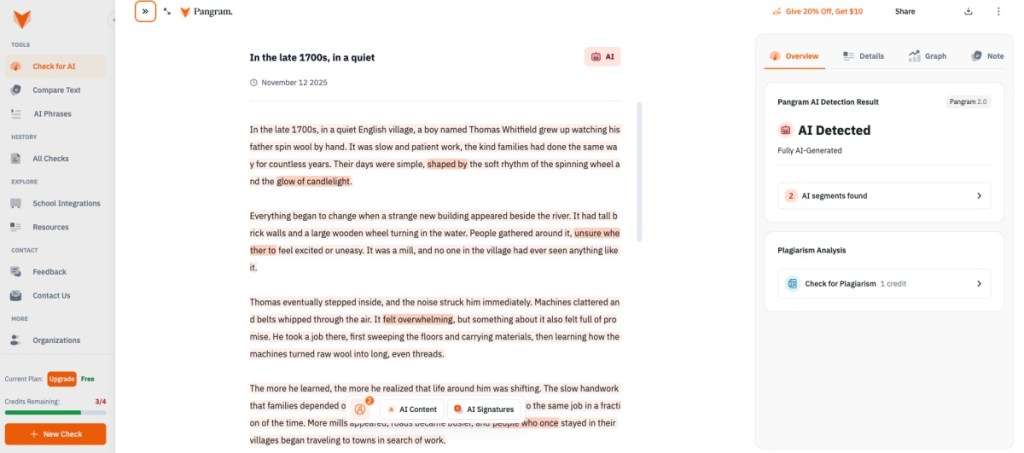
In my assessment, it quickly pointed out the AI text and could confidently tell which part I wrote. So I used some of the AI phrases it pointed out to me, and integrated them into my text, and Panagram was able to accurately guess how much of the text is AI. However, there is a limit on its usage in the free version. You will need to buy credits to use this tool frequently.
| Pros | Cons |
|---|---|
| Strong AI detection tool | Need to buy credits to scan more copies |
| Marks AI signature in the content | |
| Shows which phrases have higher likelihood of appearing in AI generated text | |
| Great for short and long form content |
Pricing: Free, Paid plan available at $20/month
5. ZeroGPT
From GPTZero, we have now come down to ZeroGPT. But it is not associated with the tool at the top of our list. It is a freemium AI-detector that is quite easy to use and will come in handy for students, especially. It analyzes texts and classifies the percentage of them that is AI-written, even highlighting sentences similar to those generated by Winston AI.

ZeroGPT is designed for quick checks and specializes in detecting content from ChatGPT, Gemini, and Claude AI. In my test, it managed to classify the text as AI, but seemed to be less confident in the results. Still, it is a good free option for those looking for a casual AI detector.
| Pros | Cons |
|---|---|
| Fast detection and easy to use | Less confident in detecting AI content |
| Highlights AI-generated sentences | Fewer advanced reporting features |
| Supports multi-language text | |
| Offers option to Humanize AI text |
Pricing: Free, Pro plan available at $9.99/month
6. QuillBot AI Detector
QuillBot is arguably the most popular entry in this list, thanks to its grammar check and paraphrasing tools. But it also has an AI detector that can spot content generated by popular AI models and highlight a specific portion of the text that reads the most AI-created. However, in my test, the accuracy of the AI detector is a mixed bag.
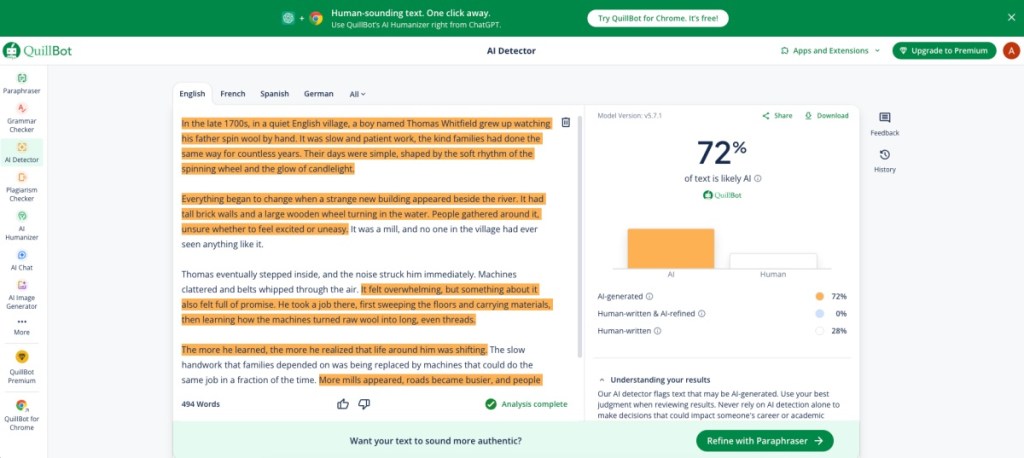
It gives a 72% AI rating, despite over 95% of it being AI text. In fact, it was not completely certain whether the content written by me was completely human. This is why I have ranked it so low. It is still a useful tool for many casual users, but for reasonable, there are better free options out there.
| Pros | Cons |
|---|---|
| Can detect AI content by popular models | Conflict of interest as it also offers its own AI writing tools |
| Highlights AI written phrases | Detection accuracy is lower than other tools |
| Supports multi-language text | |
| Also offers several writing assist tools |
Pricing: Free, Paid plan available at $50.04/annually
7. Copyleaks AI Detector
Copyleaks is another good AI detector that can help you find AI-generated content in any text. But where it shines is how it integrates plagiarism checking within the tool, by showing whether any part of the AI text was copied from another published source available online. Like other tools in the list, it also highlights the portion of the text that gives away that it is made using AI.
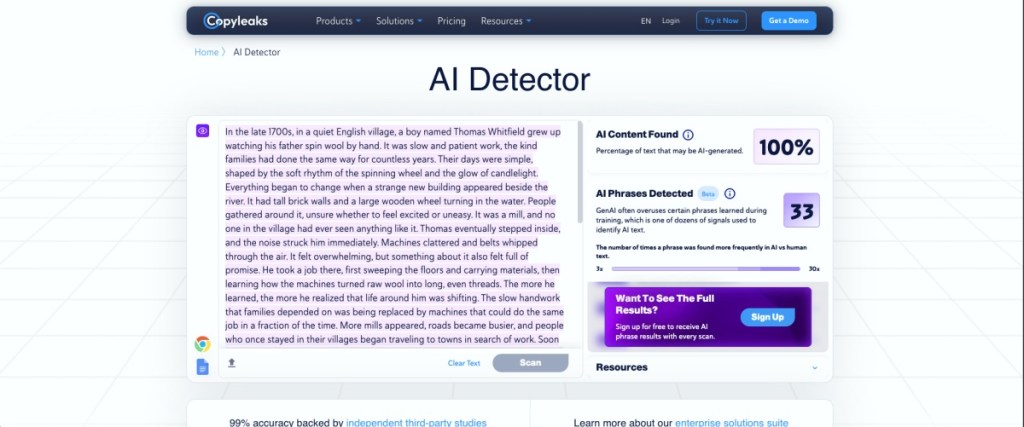
In my test, it could correctly identify that the content is almost 100% AI generated. I also liked the interface of Copyleaks, and that it lets you perform any number of scans for completely free. However, you cannot upload documents in the web version. You’ll need to download an app to do that.
| Pros | Cons |
|---|---|
| Good accuracy and low fail positives | Cannot upload documents in web version |
| Integrated plagiarism checker | |
| Simple to use interface | |
| Can use for free without sign up |
Pricing: Free, Personal plan available at $16.99/month
8. Content At Scale AI Detector
Content at Scale is the last entry in this list. The reason for this is that it is comparatively less accurate in detecting AI text that is less than 250 words. While this condition applies to all the other tools in this list, they managed to correctly guess which one is real and which is AI text. However, Content at Scale has trouble with that.
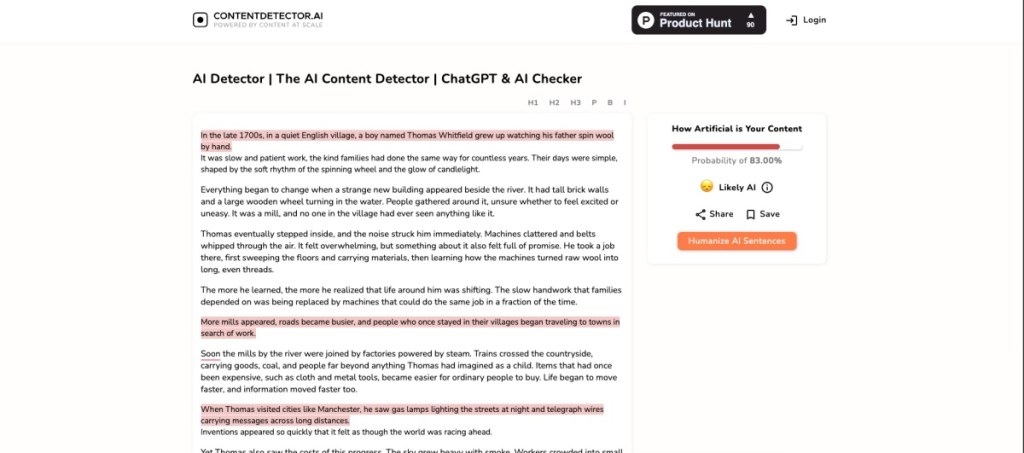
When I entered a shorter body of text that I wrote, it marked it as completely AI-generated. But this was not the case with a longer body of text, where it was able to differentiate between AI and human writting 10 out of 10 times. While it is free to use, it is also limited in feature set compared to the rest of the alternatives I have discussed here. But it can still be a good option to try out.
| Pros | Cons |
|---|---|
| Good long-form detection | High chance of false positives in shoter texts |
| Easy-to-use interface | |
| Can use for free without sign up |
Pricing: Free to Use
I hope you enjoyed this list and found the ideal tool to help you spot AI-written jargon. After testing out several tools, I managed to learn that most other options either don’t offer accurate results most of the time, or rely on one or the other tools that are listed above for answers. So I thought it would be best to help you fight the clutter and bring those AI detectors to you myself.