


A viewer follows a software tutorial until the cursor reaches Settings. The next screen offers a control that the viewer cannot find. Replaying the clip does not help: the edit shows the destination, but the action that should open it has vanished. A polished demonstration has become an instruction nobody can follow.
Before blaming the viewer or changing the prompt in an AI video editor, identify where the demonstrated task first diverges from the real application. The cause could be an account permission, an old recording, a skipped action, or a screen altered during generation. Each diagnosis calls for a different repair.
Take a hypothetical backup tutorial. It appears to show someone enabling Daily Backup and choosing a destination. A colleague with the same application version cannot reproduce the result. The investigation should begin with that failed task, rather than a general request to make the video clearer.
Locate the First State the Viewer Cannot Reach
Ask the colleague to stop at the first mismatch and capture the actual screen. Compare it with the corresponding frame in the tutorial. Is the whole screen different, is one control absent, or is the right control present but unreadable? A precise observation narrows the work much faster than “the demo is confusing.”
Check the environment before touching the edit. Record the application version, operating system, account role, and any enabled feature that affects this task. A tutorial recorded by an administrator can show options that a standard account does not have. No amount of visual cleanup makes that path available to the intended audience.
If the environments differ, repeat the action using the audience’s setup. The tutorial may need a prerequisite note, another route, or a new capture. Avoid recreating the missing control as artwork. It would make the two screens look similar while preserving the reason the instructions fail.
If the environments agree, collect the original screen recording and the delivered video. The original tells you what the application actually displayed during recording. The delivered copy tells you what the viewer received. The editing timeline is useful for diagnosis, but it cannot substitute for either piece of evidence.
How a Missing Action Differs from an Invented Screen
Play the original recording through the disputed moment. In the backup example, perhaps the operator opens an advanced panel before Daily Backup appears. If the edited clip removes that click, the source is sound and the sequence is incomplete. Restore enough footage to show the trigger and its result.
A different failure occurs when the click remains but its result changes. The generated version might show a selected option that was never selected, replace a label, or make a confirmation appear early. Compare the relevant frames side by side. A plausible final settings screen does not establish that the preceding actions lead there.
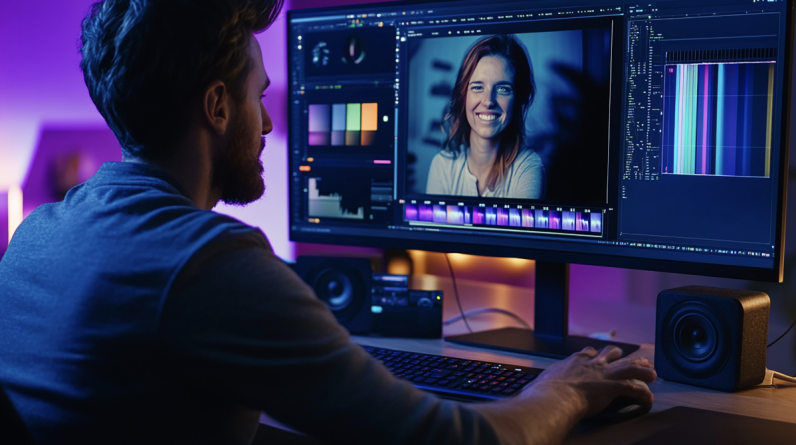
AIVideoEditor.me offers video transformation through an upload, a written request, and generation of a new version. For a software demonstration, that output is a proposed presentation treatment. The authentic capture remains the reference for labels, permissions, field values, and application behavior.
A narrow request makes the comparison more useful. Test one short section with a defined presentation problem, such as a distracting surround, while preserving the capture’s task details. If the output changes a fact-bearing screen, use the original segment or another editing method. Repeatedly asking for a more convincing screen cannot verify its accuracy.
There is also a failure with no missing or invented state: the audience cannot read what is there. A crop may hide navigation, or a fast transition may remove the time needed to notice confirmation. Inspect the same export at the intended player size. This distinguishes a display problem from a false instruction.
Repair the Earliest Break in the Demonstrated Task
Make a short state map for the affected passage: what is visible before the action, which action occurs, and what confirms success. Give each state a code tied to the source recording. You need enough detail to describe the repair, not an inventory of every pixel in the interface.
Teams that edit videos online can keep that map beside their candidate versions. When evaluating a treatment from AIVideoEditor.me, compare the first changed state before inspecting later polish. An error early in the path can make every following screen appear suspicious even when those frames are accurate.
Suppose the missing advanced-panel click is restored. Keep the panel visible long enough to connect the click with the new options. Then check that the narration still names the right action. Adding a frame without adjusting an early voice cue can leave the demonstration just as difficult to follow.
If a capture contains a real error, preserve the useful recovery when it serves the lesson. A destination field that rejects an invalid path can teach viewers which message to expect and how to correct it. Remove irrelevant fumbling, but consider whether eliminating every unsuccessful attempt deprives the audience of the state they are most likely to encounter.
Keep captions and explanatory callouts editable where the production tools allow it. A renamed menu item may require a small text correction in one place and fresh capture in another. Combining all information into a transformed image makes those maintenance decisions harder to separate.
Repeat the Task Using the Delivered Copy
Give a reviewer the revised export and the intended application setup, but withhold the script. Ask them to perform the task and record the exact moment they must guess. Success means reaching the shown outcome through the shown actions; it does not mean remembering the right answer from an earlier review.
Watch those hesitations before doing frame-by-frame inspection. Ordinary playback reveals whether the explanation works at human speed. Slow inspection helps identify mutated labels and skipped evidence. The two checks answer different questions, so neither replaces the other.
AIVideoEditor.me can support another presentation experiment if a remaining problem is visual. Return to the source capture when the task itself is wrong. Check the clean master again after caption replacement or a late trim, because an approved timeline can still produce an export that loses the crucial confirmation frame.
Finally, attach a maintenance trigger to the state map. A changed permission flow or renamed navigation item should send the affected passage back for review. That gives an owner a concrete reason to patch, record again, or retire the demonstration without inspecting the whole library every time.
Accept the Demo When Its Instructions Can Be Followed
A useful software demonstration lets another person reproduce a task on the setup it claims to teach. Start repairs at the earliest mismatch, preserve authentic interface evidence, and test the delivered copy with someone who does not know the script.
This approach suits tutorials, onboarding clips, and support videos where the clicks matter. A purely conceptual animation has a different job and should be presented accordingly. Visual treatment is worth keeping when it helps viewers notice the action and its result. If it makes the application look better while hiding how it works, restore the evidence that the viewer needs.