



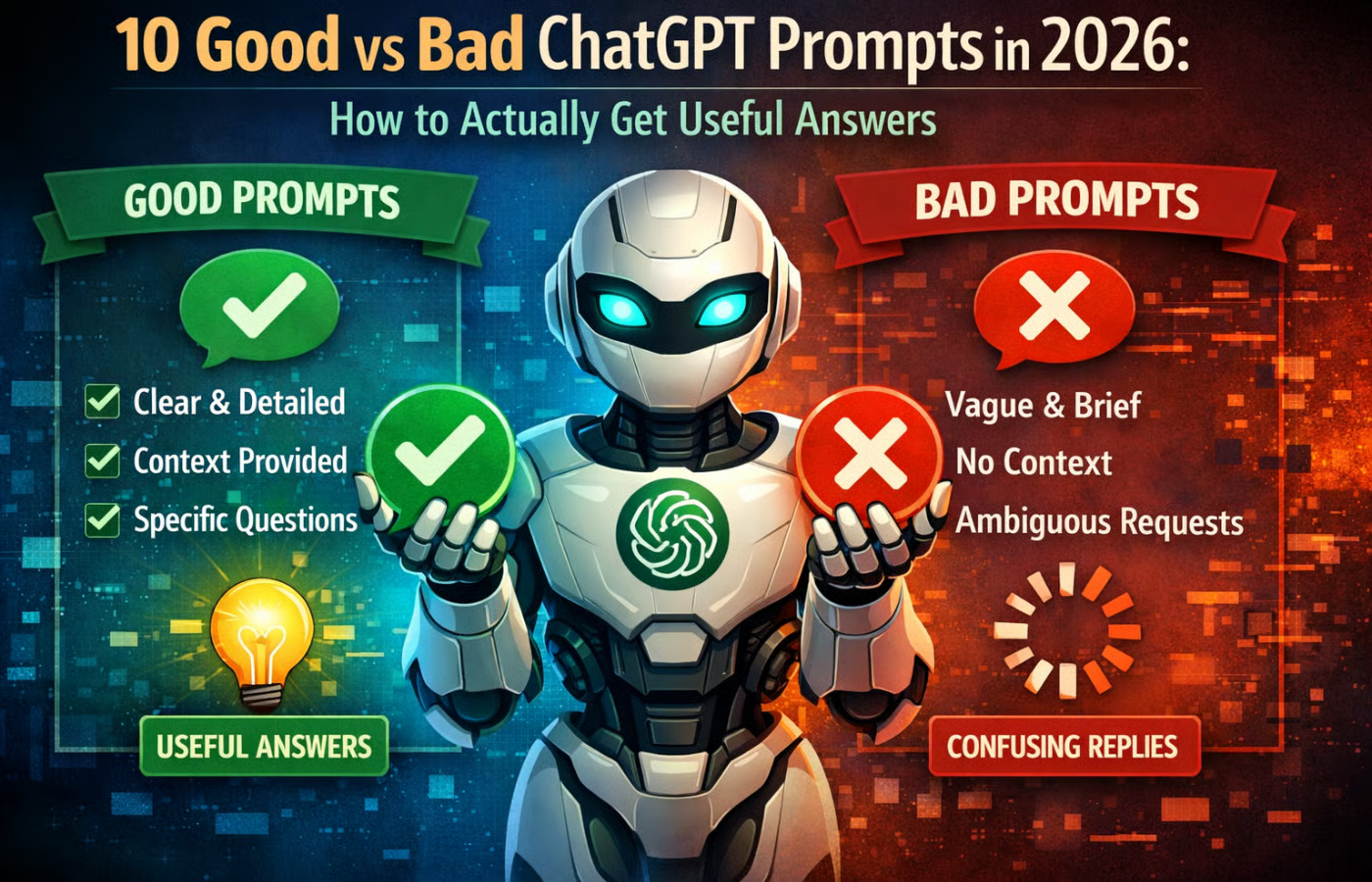
We’re three years into the ChatGPT era, and somehow most of us are still typing “write me a blog post about marketing” and wondering why the results feel like they were scraped from the bottom of the internet’s barrel.
We went from Googling two-word phrases to having full conversations with AI, and most of us are still figuring out where the sweet spot is.
After analyzing hundreds of prompts across industries and taking several prompt engineering courses myself, I’ve identified the patterns that separate frustrating, generic responses from genuinely useful ones.
Below are 10 real-world examples that compare a bad prompt with a better, more useful one, with clear explanations of why the good version works. Before we dive in, keep in mind that strong prompts work because they give the AI four things: context, role, constraints, and output format. They reduce guesswork and guide the model toward a specific outcome.
1. The no-context prompt (role + environment framing)
When you give no background, the model assumes a general situation and produces a generic answer. In professional settings, context matters: industry, company size, geography, goals, and constraints all influence what “good” looks like.
Adding environmental context tells the AI what assumptions to make and prevents irrelevant suggestions.
Bad prompt
“Give me cybersecurity recommendations.”
Good prompt
“You are a cybersecurity consultant. Provide security recommendations for a small financial services company (20 employees) that stores customer data in Microsoft 365 and uses remote workers. Focus on low-cost controls, policy improvements, and tools suitable for small businesses.”
2. The context-loaded prompt
One of the most common mistakes people make is assuming ChatGPT knows who they are, what they’re working on, or what their specific situation involves.
The model doesn’t have context unless you give it. A context-loaded prompt frontloads all the relevant background information so the AI understands exactly what lens to view your request through.
Think of it like walking into a doctor’s office. You wouldn’t just say, “I feel bad, fix me.” You’d explain your symptoms, medical history, what you’ve already tried, and your concerns. The same principle applies here. The more relevant context you provide upfront, the more tailored and useful the response will be.
Bad prompt
“How do I improve my website’s conversion rate?”
Good prompt
“I run an e-commerce store selling handmade ceramic mugs, with about 15,000 monthly visitors. My current conversion rate is 1.2%, which is below the industry average of 2-3% for artisan home goods. Most of my traffic comes from Instagram (60%) and Pinterest (25%).
My average order value is $45, and I’ve noticed that my cart abandonment rate spikes at the shipping information page. I’m using Shopify with a minimalist theme, and my product photos are all shot in natural light against white backgrounds. What specific, actionable strategies should I test first to improve my conversion rate, given these constraints?”
3. Content creation prompt
“Write a blog post” is an invitation for bland, SEO-stuffed filler. A professional prompt provides voice, audience, key points to cover, and crucially, points to avoid, ensuring the output is on-brand and useful from the first draft.
Bad prompt
“Write a blog post about mindfulness for busy professionals.”
Good prompt
“You are the editor of ‘optimistically,’ a newsletter for time-pressed startup founders. Draft an 800-word blog post titled ‘Micro-Sanctuaries: Building Mindfulness Into Your Workflow Without Adding a Single Task.’
Adopt a tone that is evidence-based, slightly skeptical of wellness fads, and focused on systemic integration over individual effort.
Structure it with three concrete, non-obvious methods (e.g., ‘ritualizing transitional moments,’ ‘auditing input queues’). Explicitly avoid mentioning meditation apps, yoga, or generic ‘unplugging’ advice. Include two provocative, data-backed questions to prompt reader discussion at the end.”
4. Coding & debugging prompt
Pasting an error code alone forces the AI to guess at your environment, goals, and what you’ve already tried. Providing full context, such as language, framework, surrounding code snippet, and the intended behavior, turns the AI into a precise senior developer pair.
Bad prompt
“My code has error ‘ReferenceError: X is not defined.’ How do I fix it?”
Good prompt
“I’m debugging a Next.js 15 (App Router) API route in TypeScript. I’m getting a ‘ReferenceError: userSession is not defined’ on line 28 when calling await authorizeTransaction(). Below is the relevant code snippet from lines 20-35, showing the imports and function.
I’ve already verified the getUserSession utility is correctly imported from ‘@/lib/auth.’ My hypothesis is a server-side rendering hydration issue, but I need a second opinion. What are the three most likely causes specific to this framework context, and what’s the most elegant fix for each?”
5. Business strategy prompt
Strategy isn’t about listing trends; it’s about stress-testing decisions against future uncertainties. A weak prompt asks for predictions; a powerful one demands analysis of driving forces and their implications for a specific business move.
Bad prompt
“What are the future trends for remote work?”
Good prompt
“Act as a management consultant. Our client, a multinational software firm, is considering permanently closing 40% of its physical offices to fund a mandatory ‘Deep Work Week’ off-sites program. Analyze this decision through the lens of Roger Martin’s Strategy Choice Cascade.
Identify the two most critical opposing forces at play (e.g., ‘talent war for collaboration-native Gen Z’ vs. ‘productivity pressure from investors in a downturn’). For each force, project a plausible 2026 scenario and recommend one concrete policy to mitigate the risk. Present as a brief memo.”
6. The step-by-step reasoning prompt
Also called “chain-of-thought prompting,” this technique explicitly asks ChatGPT to show its work. Instead of jumping straight to a conclusion or recommendation, you ask it to break down its reasoning process step by step.
This is particularly valuable for complex problem-solving, analysis, or decision-making tasks.
The magic here is that forcing the model to articulate its reasoning actually improves the quality of its final answer. It’s less likely to make logical leaps or miss important considerations when it has to explain each step. This mirrors how humans make better decisions when we have to justify our thinking out loud.
Bad prompt
“Should I incorporate my freelance business?”
Good prompt
“I’m a freelance graphic designer in Texas making approximately $95,000/year in revenue with about $15,000 in business expenses (software, equipment, home office). I’m currently operating as a sole proprietor. I’m considering incorporating but I’m not sure if it makes financial sense yet.
Walk me through your reasoning step-by-step:
- First, analyze my current tax situation.
- Second, estimate what my taxes would look like under an S-Corp structure.
- Third, factor in the additional costs and administrative burden of incorporation (accounting, filing fees, payroll processing).
- Fourth, identify the revenue threshold where incorporation would clearly make financial sense.
Finally, give me your recommendation with clear reasoning for why you reached that conclusion.”
7. The perspective-shifting prompt
Sometimes the best insights come from looking at a problem from multiple angles. Perspective-shifting prompts ask ChatGPT to analyze your situation from different viewpoints, stakeholders, time horizons, and success metrics. This technique is especially powerful for strategy, planning, and situations with competing priorities.
By forcing examination from multiple perspectives, you uncover blind spots and considerations you might have missed. It’s like having a team of advisors in the room, each representing different interests or concerns.
Bad prompt
“How should I price my consulting services?”
Good prompt
“I’m launching a UX research consulting practice focused on early-stage SaaS startups. I’m considering charging $8,500 for a two-week research sprint. Analyze this pricing decision from four different perspectives:
- From the client’s perspective: What value signals does this price send? What comparable alternatives might they consider?
- From a business sustainability perspective: Based on typical consultant utilization rates (60-70% billable time), is this pricing sustainable for a one-person consultancy?
- From a market positioning perspective: How does this compare to agencies ($15k+) and freelancers on Upwork ($3k-5k)? Where does it position me?
- From a scaling perspective: Does this price point allow for eventual hiring and growth, or does it lock me into solo work?
After analyzing all four perspectives, synthesize them into a recommendation with tradeoffs clearly outlined.”
8. Personal productivity prompt
AI can’t magically manage your time. But it can act as a systems designer. A bad prompt asks for a list of tips; a great one asks to design a personalized, rule-based workflow based on your specific pain points.
Bad prompt
“Give me tips to manage my email inbox.”
Good prompt
“Design a zero-inbox workflow system for a project manager who receives 100+ emails daily across three primary categories: 1) Internal team updates (Slack is the canonical source), 2) Client requests (must be logged in Asana), and 3) Vendor newsletters/industry news (for weekly review).
I use Gmail and have Zapier Pro. Create a step-by-step filtering and routing system with clear if-this-then-that rules. Include draft templates for three 1-click responses for the most common low-priority client queries that will auto-log a task and send a polite acknowledgment.”
9. The iterative refinement prompt
Rather than expecting perfection in one shot, iterative refinement prompts build in a review-and-improve cycle. You ask the AI to generate something, critique its own work against specific criteria, and produce an improved version.
This mirrors how professional writers and creators actually work through drafts and revisions.
This technique leverages the model’s ability to evaluate output quality when given clear criteria. It’s particularly effective for creative work, persuasive writing, or any task where subjective quality matters.
Bad prompt
“Write an email to get more clients.”
Good prompt
“I need a cold outreach email to potential clients for my B2B SaaS product (project management tool for architecture firms).
First, write a draft email. Then, critique your draft against these criteria:
- Does it demonstrate specific knowledge of architecture firm pain points?
- Is the subject line compelling without being clickbait?
- Does it lead with value rather than features?
- Is there a clear, low-friction call-to-action?
- Is it under 150 words?
After your critique, write a revised version that addresses the weaknesses you identified. Show me both the critique and the final version.”
10. The examples-included prompt
Few-shot prompting — providing examples of what you want — is one of the most powerful techniques available. Instead of describing the style or format you’re after, you show it. The model learns from patterns, so providing it with 2-3 examples of your desired output significantly improves consistency and quality.
This works for everything from email tone to data formatting to creative style. The examples teach the model nuances that are hard to describe in words: the rhythm of your writing, the level of formality you prefer, and the specific way you want data structured.
Bad prompt
“Write some Instagram captions for my coffee shop.”
Good prompt
“Write 5 Instagram captions for my specialty coffee shop. Here are three examples of captions I’ve written that performed well, which show the tone and style I want you to match:
Example 1: ‘That 3 pm wall? Consider it demolished. 🚀 Our new Colombia Huila is like jet fuel made by angels. Notes of dark chocolate, cherry, and the will to actually finish your to-do list. Try it before we run out (we always run out).’
Example 2: ‘Unpopular opinion: room temperature is the best temperature for tasting coffee. Yeah, we said it. ☕️ Come at us in the comments while you’re waiting for your cappuccino to cool down anyway.’
Example 3: ‘New rule: if you’re working on your novel here for more than 3 hours, you have to read us your best sentence. That’s the deal. We provide the caffeine, you provide the entertainment. 📚✨’
Now write 5 new captions in this same voice, playful, slightly irreverent, coffee-nerdy but not pretentious, with one emoji per caption.”
Final thoughts
As you can see, the difference between frustrating AI interactions and genuinely useful ones usually isn’t about the AI; it’s about the prompt.
As these 10 examples show, better prompts aren’t necessarily longer or more complex. They’re more specific, more contextual, and more aligned with how language models actually process information.
The patterns here cut across industries and use cases, but they share common threads: give context, define constraints, specify format, show examples, and be explicit about what success looks like. Think of prompting less like giving commands to a search engine and more like briefing a very capable but very literal colleague who needs clear direction.
We’re still early in learning how to work effectively with these tools. The people who master prompting in 2026 aren’t necessarily the most technical; they’re the ones who understand that clarity beats cleverness, and that the effort you put into developing your question determines the value you get from the answer.
Also read: xAI is expanding beyond text with Grok Imagine 1.0, a tool that generates 10-second videos at 720p.